


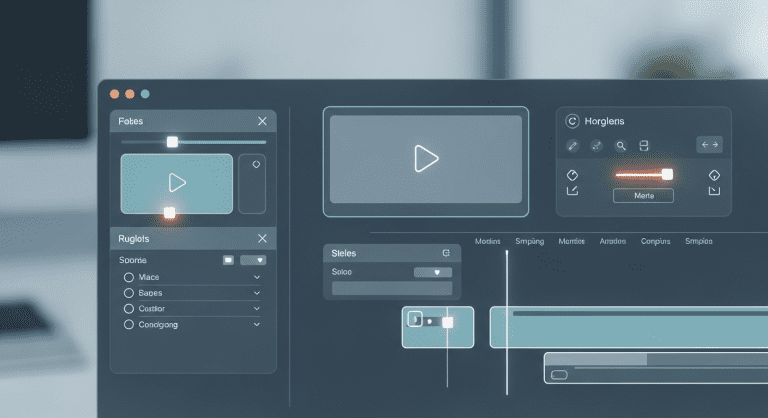

How Video Editors Can Leverage Runway ML for Next-Level Video Generation in the Media Industry (2024 Guide)
Are you a video editor in the dynamic media industry looking for smarter, faster ways to generate professional videos? Discover how Runway ML is revolutionizing video creation, from AI-powered editing to stunning effects—all with minimal manual effort. This actionable guide dives deep into features, workflows, and insider tips so you can supercharge your video projects in 2024 and beyond.
What is Runway ML? (Quick Overview for Media Video Editors)
Runway ML is an AI-powered video generation tool that automates and enhances video editing tasks. From text-to-video synthesis to green screen effects, it’s designed for creative professionals—especially video editors in media—looking for advanced capabilities without an advanced technical learning curve.
- Category: Video Generation/Editing
- Best For: Video Editors, Creative Teams, Media Companies
- Main Strengths: Speed, AI-assisted creativity, cloud-based collaboration
Why Video Editors in Media Should Care About Runway ML
- Save hours on repetitive tasks (masking, background removal, upscaling)
- Generate creative assets in minutes using AI models
- Collaborate seamlessly with remote teams
- Stay ahead of competitors in a fast-paced industry
With intuitive interfaces and constantly evolving AI tools, Runway ML helps editors create stunning content efficiently. Learn more from their official site.
Key Runway ML Features Video Editors Should Master
1. Text-to-Video Generation (Gen-2)
Turn simple prompts into vivid videos. Describe a scene, and Runway ML’s AI will generate it—ideal for rapid storyboarding or social media campaigns.
2. AI Green Screen/Background Removal
Remove or replace backgrounds automatically—no need for manual rotoscoping. This feature saves enormous time for news, promos, or branded content.
3. Video Inpainting
Easily erase unwanted objects or fix clips by painting over elements. The AI intelligently fills the gaps for seamless edits.
4. Super-Slow Motion & Frame Interpolation
Upgrade ordinary footage by generating artificial frames, creating professional-grade slow-motion effects—even from standard framerates.
5. Color Grading & AI Upscaling
Automatic color correction and upscaling preserve video quality for broadcast standards without heavy manual tweaking.
How to Get Started: Step-by-Step Workflow
- Sign Up & Choose a Plan: Visit Runway ML’s official website and select a plan that fits your media production needs (free and paid options available).
- Upload Your Footage: Drag-and-drop clips directly into the Runway ML dashboard.
- Select Features: Open the “Video” tools—choose AI Green Screen, Text-to-Video, or Inpainting, depending on your project.
- Apply Edits: Use natural language prompts or brush tools. For example, type “make the sunset more vibrant” or draw over unwanted elements.
- Preview & Export: Instantly preview the AI edits; export finished assets in popular formats (MP4, MOV) ready for further post-production or publication.
Pro Tips for Maximizing Results with Runway ML
- Use clear, descriptive prompts for text-to-video. The AI responds best to detailed, specific scene directions.
- Leverage batch processing for repetitive edits across multiple clips.
- Combine Runway ML with traditional NLEs (like Adobe Premiere Pro or DaVinci Resolve) to enhance your existing workflows—Runway ML acts as a “smart enhancement” layer.
- Follow creative cloud integration best practices for optimal project management.
Common Mistakes to Avoid
- Over-relying on default AI outputs—always review and fine-tune results for professional polish.
- Ignoring export settings—use high-bitrate outputs for TV/OTT delivery.
- Neglecting licensing—review each model’s usage rights for commercial media projects.
Runway ML vs. Traditional Video Editing: Comparison Table
| Feature | Runway ML | Traditional Editors |
|---|---|---|
| AI-Assisted Editing | Simple, automated with prompts | Manual, labor-intensive |
| Green Screen/Background Removal | One-click, no chroma needed | Requires chroma key setup |
| Text-to-Video | Native, built-in | Unavailable |
| Batch Processing | Yes | Manual workflow |
| Export Options | MP4, MOV, more | Extensive |
| Cloud Collaboration | Yes | Requires extra tools |
How Does Runway ML Fit Into a Media Video Editor’s Workflow?
Runway ML is best used as a “smart enhancement” tool—integrated within your broader video workflow.
- Finish a rough cut in your traditional NLE.
- Export key sections to Runway ML for AI-powered improvements (backgrounds, color, objects, etc.).
- Re-import polished clips for the final cut.
This hybrid approach lets you deliver more creative, higher-quality content in less time—a major win for newsrooms, digital agencies, and broadcasters who thrive on speed, originality, and cost efficiency.
Discover more about productivity habits for creatives and SEO ranking strategies for media teams.
People Also Ask (FAQs)
How is Runway ML different from other AI video generators?
Runway ML offers real-time editing, advanced collaborative features, and supports seamless integration with industry-standard NLEs. Its focus on practical, creative tasks—like AI green screen and video inpainting—makes it unique for media editors.
Is Runway ML suitable for beginners?
Yes. While packed with pro features, Runway ML’s interface is highly intuitive, and most tasks only require drag-and-drop or simple prompts. Tutorials and templates help you get started fast.
Can Runway ML be used for broadcast-quality production?
Absolutely—many media companies use Runway ML for TV news, digital advertising, and even documentary films. Carefully review output specs and model licenses for commercial projects.
Does Runway ML support team collaboration?
Yes, its cloud-based workspace lets teams collaborate remotely on large video files—with real-time preview and commenting features.
Is there a free version or student discount?
Runway ML offers a free tier (with limited monthly credits) and discounted plans for education users. Check their latest pricing for eligibility.
Conclusion: Editors Who Embrace AI Will Lead the Future of Media Video Production
Video editors in the media industry who integrate Runway ML into their toolkit will stay ahead in 2024 and beyond.
- Unlock fast, creative workflows with AI-powered editing
- Streamline team collaboration for quicker project turnover
- Deliver high-impact, professional videos—while saving time and costs
Ready to level up? Explore Runway ML for your next project and experience video generation the smart way!




0 Comments