



Introduction
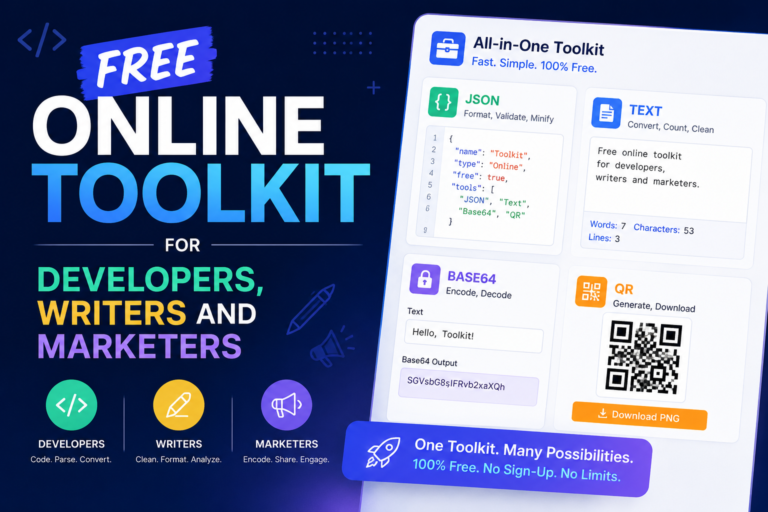
If you create content, write code or run marketing campaigns, you probably keep searching the same small utilities over and over again: “online JSON formatter”, “word counter”, “Base64 decoder”, “QR code generator”, and more.
Instead of juggling 10 different tabs, this free online toolkit brings the most useful everyday tools together in one place, so you can work faster, stay focused and bookmark a single hub for your essential tasks.
In this guide, you will find:
-
A fast JSON formatter and validator for API responses and config files.
-
A word counter for writers, students, bloggers and SEOs.
-
A Base64 decoder for developers and technical users.
-
A free QR code generator for URLs, Wi‑Fi and more.
Each tool is completely free to use and works directly in your browser.
JSON Formatter & Validator – Clean, Readable JSON in One Click
JSON is the standard format for APIs, web applications and many modern configuration files, but raw or minified JSON is hard to read and debug.
A good JSON formatter instantly beautifies your JSON with proper indentation, making errors and structure problems much easier to spot.
Try it now:
➡️ JSON Formatter & Validator: https://jsonformatter.nefeblog.com/
What you can do with this tool:
-
Paste any JSON string and format it into a clean, human‑readable layout.
-
Quickly identify objects, arrays and nested keys when working with complex API responses.
-
Validate JSON structure before pushing code, sending requests or saving configuration files.
Instead of copying your JSON into a heavy IDE or plugin every time, you can simply open the formatter in your browser, paste, fix, copy and move on.
Online Word Counter – For Bloggers, Students and SEO Writers
Whether you are writing an assignment, a sales page or a blog post, word and character counts matter for quality, readability and platform limits.
Online word counters help you track length, maintain consistency and make sure you stay within constraints like essay requirements or search snippet limits.
Try it now:
➡️ Word Counter Tool: https://wordcounter.nefeblog.com/
How this word counter helps you:
-
Get instant word and character counts for any piece of text you paste or type.
-
Plan content around platform limits (for example, meta descriptions, titles and social posts have recommended maximum lengths).
-
Keep an eye on content size so you can avoid thin pages and create more in‑depth, useful articles.
Use it while drafting blog posts, editing landing pages or checking whether your email copy is too long (or too short) for your audience.
Base64 Decoder – Make Encoded Strings Human‑Readable
Base64 is a common encoding format for turning binary data into text that can travel safely in URLs, APIs and configuration files, but the results look like random characters.
A Base64 decoder converts those encoded strings back to their original content so you can understand, debug and reuse the data.
Try it now:
➡️ Base64 Decode Tool: https://base64decode.nefeblog.com/
Typical situations where this tool saves time:
-
Inspecting encoded payloads from APIs, webhooks or third‑party integrations.
-
Decoding Base64 text from logs or error messages to see what is really being sent.
-
Converting encoded snippets back into readable text for debugging and documentation.
Just paste the encoded string, click to decode and copy the output wherever you need it—no IDE plugin or command‑line step required.
Free QR Code Generator – Turn Any Link into a Scannable Code
QR codes are everywhere: restaurant menus, product packaging, business cards and offline ads all rely on fast, mobile‑friendly scanning experiences.
With a free QR code generator, you can instantly convert URLs or text into codes that your audience can scan in seconds.
Try it now:
➡️ Online Free QR Code Generator: https://onlinefreeqrcodegenerator.nefeblog.com/
What you can create with this generator:
-
QR codes for landing pages, product pages or lead magnets in your marketing campaigns.
-
Codes for Wi‑Fi networks at your office, café or events.
-
QR codes for contact details on business cards, flyers or posters.
Generate your code, download the image and drop it straight into your designs or print materials.
Practical Workflows Using This Toolkit
Using these tools together makes your daily workflows smoother, especially if you are switching between development, content and marketing tasks.
1. Publishing a blog post or article
-
Draft your content in your editor of choice.
-
Paste the final version into the Word Counter to check length and adjust title and meta snippet.
-
Create a QR code linking to the article and add it to posters, brochures or print materials promoting your blog.
2. Debugging an API and documenting it
-
Paste raw JSON responses into the JSON Formatter to inspect objects, arrays and values clearly.
-
If parts of the response are Base64‑encoded, send them through the Base64 Decoder to understand what is being transmitted.
-
Use the formatted and decoded data in your documentation, wiki or client explanation.
3. Promoting a web app or landing page
-
Use the JSON Formatter while working with configuration files or JSON‑based settings.
-
Generate a QR code pointing to your app or landing page for conference banners, packaging or offline marketing.
-
Track performance with analytics while users scan and visit your link.
Because all these tools live under the same brand and are designed for quick, no‑friction use, you can keep one toolkit bookmarked and return to it every time you write, debug or market something online.
Why Bookmark This Toolkit Instead of Using Random Tools
There are many standalone JSON formatters, word counters, Base64 decoders and QR generators online, but most users find them one at a time through search, then lose them again in the browser history.
Having a dedicated toolkit page plus separate direct‑access links to each tool means you always know where to go for your everyday tasks, without worrying about different interfaces or intrusive distractions.
You can:
-
Keep a single bookmark that links to all four tools.
-
Share one URL with your team or clients instead of explaining four different sites.
-
Work faster because you already trust and understand how each tool behaves.
FAQs About These Free Online Tools
1. Are these tools really free to use?
Yes, all four tools in this toolkit—JSON formatter, word counter, Base64 decoder and QR code generator—are free to use directly in your browser, with no software download required.
2. Do I need to create an account to use them?
No, you can open any tool, paste or type your content, and use it immediately without registration or login steps.
3. Who are these tools designed for?
They are ideal for developers debugging APIs or working with configuration files, writers and students managing word counts, and marketers or business owners generating QR codes for campaigns and print materials.
4. Can I use these tools on mobile as well as desktop?
Because they run in the browser, you can open them on desktop, laptop or mobile devices as long as you have internet access and a modern browser.
You can now plug this content directly into WordPress (or any CMS), set the meta title and description, and interlink this article with the four tool URLs:
-
JSON Formatter:
https://jsonformatter.nefeblog.com/ -
Word Counter:
https://wordcounter.nefeblog.com/ -
Base64 Decode:
https://base64decode.nefeblog.com/ -
QR Code Generator:
https://onlinefreeqrcodegenerator.nefeblog.com/
From each tool page, add a small text link back to this article as your “home base” toolkit page to strengthen internal linking and discovery.




0 Comments