


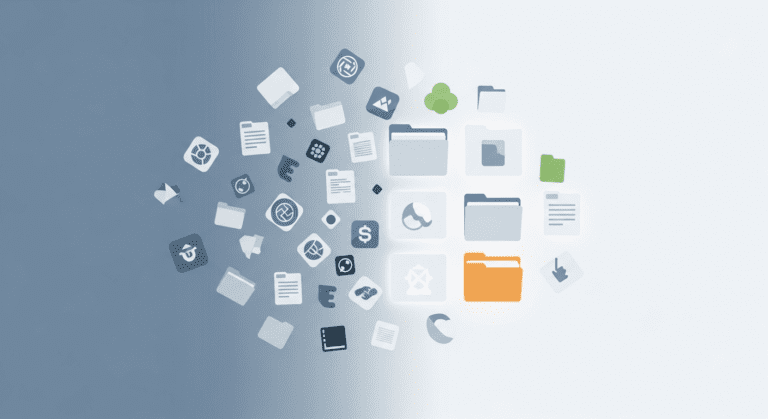

Mastering Digital Decluttering: The Ultimate Guide for Young Adults in the USA
In today’s fast-paced digital world, managing your online space is essential for mental clarity and productivity. If you’re a young adult juggling social media, emails, and countless apps, digital decluttering can dramatically improve your focus and overall well-being. This guide will show you step-by-step how to effectively organize your digital life, ensuring you stay productive and stress-free.
What Is Digital Decluttering and Why Is It Important?
Digital decluttering involves systematically organizing, removing, and optimizing your digital assets—emails, files, apps, and social media—to create a cleaner, more efficient digital environment. For young adults in the USA, embracing this habit reduces distractions, saves time, and boosts mental clarity, enabling better focus on personal and career goals.
Signals You Need to Declutter Your Digital Life
- Constantly dealing with overflowing inboxes
- Difficulty finding important files quickly
- App icons cluttering your device screen
- Feeling overwhelmed by social media notifications
- Procrastinating due to digital chaos
Step-by-Step Guide to Digital Decluttering
1. Conduct a Digital Inventory
Start by listing all your digital assets—emails, cloud storage, apps, social media accounts, and desktop files. Use tools like CleanMyMac or Disk Cleanup to scan for large or duplicate files.
2. Unsubscribe and Delete Unnecessary Subscriptions
Identify newsletters and subscriptions you no longer read. Unsubscribe to reduce inbox overload. Tools like Unroll.Me can help manage subscriptions effortlessly.
3. Organize Your Email Inbox
Create specific folders for categories like ‘Work,’ ‘Personal,’ and ‘Bills.’ Use filters and rules to automatically sort incoming emails. Consider archiving older emails to keep your inbox focused on current tasks.
4. Clear Your Desktop and App Icons
Streamline your device by removing unused apps and organizing remaining ones into folders. Use folders named by purpose: ‘Productivity,’ ‘Entertainment,’ and ‘Finance.’ A tidy desktop reduces distractions, according to productivity studies.
5. Delete or Migrate Old Files
Review files stored locally or in cloud services like Google Drive or Dropbox. Delete duplicates and transfer important documents to organized folders. Use tools like FileCleaner for easy cleanup.
6. Manage Social Media Efficiently
Limit your social media time by unfollowing accounts that don’t add value. Use app timers to control usage. Turn off non-essential notifications to minimize interruptions while working or relaxing.
Tools & Apps to Simplify Digital Decluttering
- Evernote — for note organization
- LastPass — for managing passwords securely
- Google Photos — for photo backup and organization
- Trello — for task and project management
- CleanMyMac / CCleaner — for overall cleanup
Common Mistakes to Avoid
- Procrastinating the cleanup process
- Over-deleting essential files
- Ignoring regular maintenance
- Ignoring privacy settings during cleanup
Maintaining a Decluttered Digital Space
Make digital decluttering a quarterly habit. Schedule 30 minutes every three months to review and organize your digital assets. This practice prevents clutter accumulation and sustains productivity gains.
People Also Ask (FAQs)
How often should I declutter my digital files?
Experts recommend decluttering every 3 to 6 months to keep your digital environment organized and avoid unnecessary buildup.
Can digital decluttering improve mental health?
Yes. Removing digital clutter reduces overwhelm and anxiety, leading to improved focus, relaxation, and mental clarity—especially for young adults balancing multiple responsibilities.
What are the best apps for digital decluttering?
Popular apps include CleanMyMac, Unroll.Me, and Trello.
Conclusion & Actionable Takeaways
Digital decluttering is crucial for maintaining productivity and mental well-being, especially for young adults in the USA. By following the step-by-step process outlined above, you can create a more focused, stress-free digital environment. Remember to schedule regular cleanup sessions to sustain these benefits.
Start today — your easier, more efficient digital life awaits!




0 Comments