


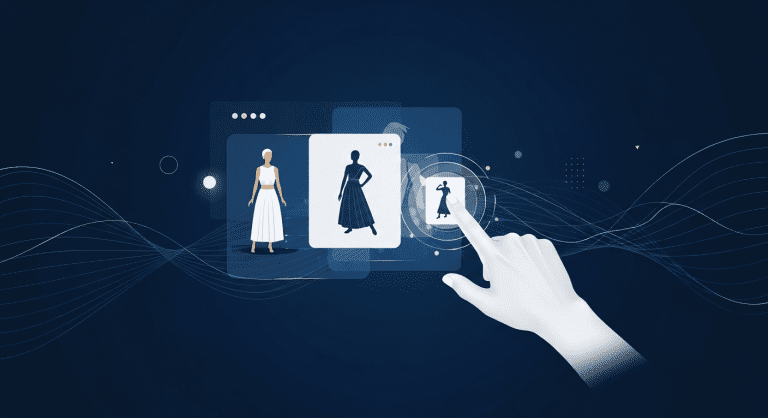

How to Use Canva AI for Marketers in the Fashion Industry: Step-by-Step Guide for 2025
Canva AI is rapidly changing the way marketers in the fashion industry create visual content. If you’re a fashion marketer looking to boost creativity, speed up workflows, and dominate social media, learning how to use Canva AI is non-negotiable in 2025. This definitive guide will show you exactly how, with actionable steps, expert tips, and common-mistake warnings—so you stand out in a crowded digital marketplace.
Whether you’re new to Canva AI or want to unlock its latest features for fashion campaigns, this article breaks down everything you need to know, smarter and faster than competitors. Let’s dive in!
Why Canva AI is a Game-Changer for Fashion Marketers
The fashion industry thrives on eye-catching visuals and rapid trend adaptation. Canva AI leverages artificial intelligence to speed up design, tailor content to brand aesthetics, and optimize for every platform. Here’s how it gives you an edge:
- Automated design suggestions based on your brand palette and style.
- AI-powered content resizing for seamless cross-platform campaigns.
- Smart image generation for unique, copyright-safe visual assets.
- Quick copywriting with AI-assisted captions and descriptions.
- Trend tracking to inspire seasonal or event-based campaigns.
Learn more about why Canva AI’s features are a must-have for modern marketers.
Canva AI for Fashion Marketers: Step-by-Step Setup
- Sign up or log into Canva
Visit Canva’s homepage and create a free or Canva Pro account. Upgrading unlocks advanced AI features like Magic Write and Brand Kit reuse. - Build Your Brand Kit
Upload your logos, select your color palette, set typography, and add any brand imagery. This lets Canva AI auto-match your style every time. - Explore Canva AI Tools
Access AI features from the left sidebar:- Magic Design—Auto-generates on-brand templates from a prompt.
- Magic Write—AI copywriter for ad copy, captions, and product descriptions.
- Text to Image—Use prompts to generate unique images, patterns, or model shots.
- Magic Edit—One-click background remover, AI image improvements, and more.
- Start Your First Campaign
Choose a template or ‘blank canvas’, click on the Magic Design tool, and describe your campaign (e.g., “Spring collection social media ad, pastel colors, modern chic”). - Customize with AI Assistance
Tweak imagery, swap backgrounds, and edit text using AI suggestions. All elements remain editable for manual adjustments. - Resize Instantly
Use Magic Resize to convert your design for Instagram, TikTok, Facebook, or even newsletter banners—all in a click. - Generate AI Captions & Hashtags
Let Magic Write create catchy, brand-aligned copy tailored for each platform. Revise for voice and SEO as needed. - Download, Schedule & Analyze
Export files in high resolution, or use Canva’s content scheduler to post directly to your brand’s channels and track engagement.
For deeper design hacks, read Canva Design School.
Best Canva AI Features for Fashion Campaigns
- Text-to-Image Generator: Instantly create on-brand backgrounds, patterns, or editorial photos using simple prompts.
- Visual Copy Suggestions: Get AI-recommended font pairings and color combos.
- Magic Write: Fill out product descriptions, emails, and launch posts in seconds.
- Brand Kit Sync: Guarantee every piece of content reflects your brand identity—even with different team members designing.
- Template Remixing: Use AI to adapt existing winning ads to new lines or collections.
Check out success stories from top brands using AI design tools for inspiration.
Tips to Maximize Canva AI for Fashion Marketing
- Lead with strong visual prompts. The better you describe the desired vibe, the more relevant Canva AI’s designs will be.
- Batch-create entire campaign sets (social, email, web) using Magic Resize to keep visuals cohesive across platforms.
- Leverage AI editing to repurpose past content—add new backgrounds, change product colorways, or update overlays to stay fresh.
- Mix AI-generated content with real photography for a credible and aspirational brand look.
- Use data-driven inspiration from Instagram Trends and Pinterest to shape prompts and see what’s visually trending in fashion.
Common Mistakes to Avoid with Canva AI in Fashion
- Over-automating: Don’t let AI-generated designs look generic. Always infuse your unique branding.
- Ignoring accessibility: Make sure color contrasts and font sizes meet accessibility standards.
- Low-res exports: Select high-quality settings for professional assets, especially print materials or ads.
- Forgetting to double-check AI copy: Review and edit Magic Write copy for tone and accuracy—never publish blindly.
- Relying only on template suggestions: Use them as a base, but always customize to reflect your fashion brand’s identity.
Comparison Table: Canva AI vs. Other AI Design Tools for Fashion Marketers
| Feature | Canva AI | Adobe Firefly | Midjourney |
|---|---|---|---|
| Text-to-Image | Yes, easy prompt-based | Yes, pro-level | Yes, artistic focus |
| Branding Sync | Built-in Brand Kit | Third-party, complex | No |
| Copywriting AI | Magic Write | Limited | No |
| Drag & Drop UI | Beginner-friendly | Steep learning curve | Only prompt-based |
| Price | Free & Pro | Subscription | Subscription |
Canva AI Success Stories in the Fashion Industry
Top fashion brands and up-and-coming designers alike are using Canva AI for:
- Social media campaigns that explode on Instagram, TikTok, and Pinterest.
- Lookbooks, catalogues, and line sheets created in hours, not weeks.
- Influencer packs for micro and macro partners—on-brand, at scale.
- Pitch decks that wow retail buyers and investors with trend-perfect visuals.
For inspiration, see Canva AI official case studies.
People Also Ask (FAQs)
How can Canva AI help fashion marketers create better content?
Canva AI automates design and copywriting tasks, making it easier to create cohesive, trendy, and brand-aligned content for every campaign. It’s ideal for teams needing fast turnarounds or managing multiple channels.
Is Canva AI good for beginners in the fashion industry?
Yes—Canva’s drag-and-drop interface, easy AI prompts, and template library make it extremely accessible for beginners while still offering advanced features for pros.
What’s the difference between Canva AI and other AI design tools?
Canva AI stands out for integrated copywriting, branding tools, and batch content creation. It’s more beginner-friendly than Adobe Firefly or Midjourney, both of which have steeper learning curves.
Can Canva AI create social media content for fashion brands?
Absolutely. Magic Resize and AI templates make it simple to tailor content for each platform, ensuring your social feeds always look sharp and on-brand.
Is Canva AI free to use?
Canva AI offers many features on its free plan, but advanced tools like Magic Write or Brand Kit are included with Canva Pro. Compare pricing at Canva Pricing.
Conclusion: Take Your Fashion Marketing to the Next Level with Canva AI
Canva AI is a powerful ally for fashion marketers, transforming content creation with automation, customization, and creativity. Follow the steps above to unlock fast, on-trend, and scroll-stopping visuals that help your brand stand out in 2025 and beyond.
Looking for more ways to optimize your marketing and productivity as a fashion brand? Check out these actionable guides:
- 2025 Finance Trends for Young Adults
- Ultimate Morning Routine for Peak Productivity
- Minimalist Habits for Young Adults
- Skyrocket Your SEO Rankings Fast
Try Canva AI today—your next viral fashion campaign is only a prompt away.


0 Comments