


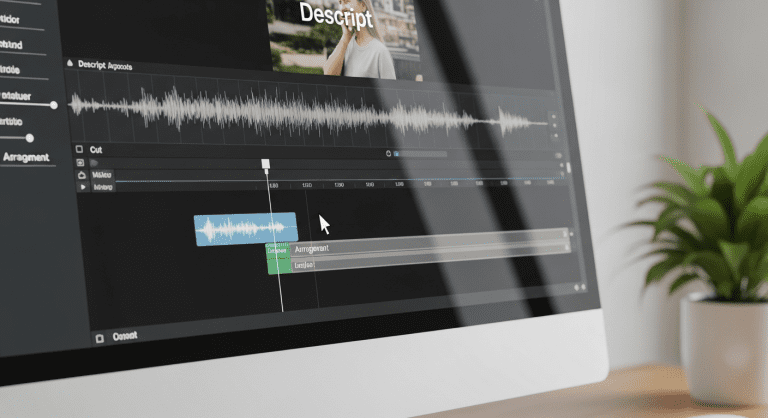

How to Use Descript for Video Editing: Step-by-Step Guide for Social Media Managers in the Media Industry
Looking for a way to streamline your social media video editing workflow? As a social media manager in the dynamic media industry, mastering user-friendly, AI-powered editing tools like Descript can be your gamechanger. This guide will walk you through using Descript for video editing, maximizing efficiency and elevating your content’s quality — whether you’re starting out or seeking faster, polished production.
What is Descript? An Overview for Social Media Managers
Descript is a powerful, AI-driven video and audio editing platform that’s designed for both speed and simplicity. Unlike traditional editors, Descript turns your footage into text, letting you cut, move, and polish by simply editing the script. For social media managers, this means quicker content turnaround, easy collaborative workflows, and the ability to produce viral-ready videos without advanced technical skills.
- Text-based editing of video & audio
- Automatic transcription
- Remove filler words & pauses instantly
- Add captions, templates, and effects in clicks
- Screen recording and remote interviews built in
Learn more via the official Descript site or see industry expert reviews from PCMag.
Why Social Media Managers in the Media Industry Choose Descript
Social video is king: Platforms like Instagram, TikTok, and YouTube reward polished, concise, highly-edited content. Descript helps you:
- Repurpose webinars or podcasts into bite-size social clips
- Add branded captions and motion templates
- Collab on edits with cloud-based sharing
- Reduce production time by up to 70% (per case studies)
Compared to traditional NLEs (non-linear editors like Premiere Pro or Final Cut), Descript removes technical roadblocks for busy marketers and social managers in fast-paced media companies.
Step-by-Step: How to Edit Videos with Descript
1. Sign Up and Install Descript
- Go to Descript’s website and sign up (free and paid plans available).
- Download and install the app for Windows or Mac.
- Log in and create your workspace, inviting any collaborators.
2. Import Video or Audio Files
- Click “New Project” in your dashboard.
- Drag & drop your video (MP4, MOV, etc.) or audio files into the timeline area.
- Descript will automatically transcribe your media (accuracy up to 95%, powered by AI).
3. Edit via Transcript (Text-Based Editing)
- To cut scenes: Highlight text in the transcript and delete. The corresponding video/audio deletes — no timeline wrangling required.
- To move clips: Drag sentences or paragraphs up/down. The media files reorder accordingly.
- To enhance: Highlight filler words (“um,” “like”) and bulk-delete using the “Remove filler words” feature for pro-level polish.
4. Polish with Overlays, Captions & Brand Elements
- Add text/captions: Insert subtitles or stylized text using the “+” icon.
- Templates: Use pre-designed intros/outros, pop-ups, or lower-thirds to match your brand’s style guide.
- Insert visual elements: Drag in images, GIFs, or B-roll for visual variety.
Tip: Social video viewers often watch on mute, so engaging on-screen text is a must.
5. Enhance Audio with Studio Sound and AI Tools
- Use Studio Sound: One-click cleanup for echo, background noise, and harsh audio — critical for short-form, shareable clips.
- Voice correction: Use Overdub to fix dialogue or add words later (premium).
- Learn about Studio Sound for higher quality output.
6. Export & Share to Social Platforms
- When you’re done, click “Share” or “Export.”
- Choose resolution, file type, and whether to export with/without subtitles.
- Upload directly to YouTube, TikTok, or LinkedIn — or download to your device (MP4 recommended for socials).
- Collaborate via shared links or invite teammates for real-time review.
Best Practices for Social Media Video Editing with Descript
- Keep it short: For TikTok/Instagram, under 60 seconds works best.
- Front-load the hook: Catch viewers in the first 3 seconds with text overlays or dynamic cuts.
- Add captions: Accessibility isn’t optional; Descript makes this instant.
- Use brand presets: Save templates for logos, color filters, and end screens.
- Repurpose longer content: Convert webinars or podcasts into multiple social-ready micro-clips.
Common Mistakes to Avoid
- Not double-checking automated captions for typos (always review!)
- Over-editing — simplicity is key for social consumption
- Forgetting mobile aspect ratios; square and vertical outperform widescreen
Feature Comparison: Descript vs. Traditional Video Editors
| Descript | Traditional NLEs (e.g., Premiere Pro) | |
|---|---|---|
| Editing method | Text-based, AI transcript-driven | Timeline, manual cuts |
| Ease of use | Beginner-friendly, minimal learning curve | Steep learning curve for non-editors |
| Auto-captioning | Yes, fast & accurate | Manual or limited automation |
| Collaboration | Cloud-based, shareable links | Often local files; slower team sharing |
| Pricing | Free (basic), Affordable premium | Expensive subscriptions |
Real-World Example: Editing a Social Video Clip in Minutes
- Import a 10-minute webinar clip on a trending topic.
- Cut out three 30-second highlights by deleting unneeded transcript text.
- Add brand captions and a call-to-action overlay at the end.
- Export as square video for Instagram (1080x1080px).
- Result: 3 social-ready video clips repurposed from one asset, ready to schedule this week.
Top Descript Alternatives and When to Consider Them
- CapCut — Greater effects for TikTok trends
- VEED.IO — Another easy browser-based editor
- Adobe Premiere Pro — Advanced options for large-scale production
FAQs: Editing Video with Descript
How is Descript different from regular video editors?
Descript uses transcript-based editing — you edit your video like a text document, making it far faster for spoken-word content or quick cuts. Traditional editors depend on timeline splicing, which is slower and more technical.
Can I add branded captions and logos for social videos?
Yes, Descript supports custom fonts, colors, and logo overlays. You can create branded templates for consistent content identity across social platforms.
Is Descript suitable for live video or podcasts?
Absolutely! Descript is especially popular for podcast editing and screen-recorded video. You can also use the AI audio cleanup tool for clearer sound.
What’s the best Descript plan for social media managers?
The Creator plan is affordable and covers most use cases for solo marketers. Teams with multiple editors or higher volume needs should consider the Pro plan.
What about privacy and copyright?
Descript is GDPR/compliance ready and your files are secure. Always use video or music you own or have the rights to reuse.
Conclusion: Should You Switch to Descript for Social Video Editing?
Descript stands out as the best AI-powered editing platform for social media managers in today’s media landscape. If you want a tool that saves time, enables easy collaboration, and produces professional video content under tight deadlines, Descript is a must-try.
To supercharge your social content workflow and stay ahead in the competitive media industry, integrate Descript into your toolkit today.
Actionable Takeaways
- Download and try Descript free to experience AI video editing.
- Use text-based cutting and auto-captioning to boost content speed.
- Repurpose longer media assets into multiple social-ready clips.
- Collaborate with your team, polish with templates, and publish faster.
Hungry for more productivity or social media tips? Check out these guides:




0 Comments