


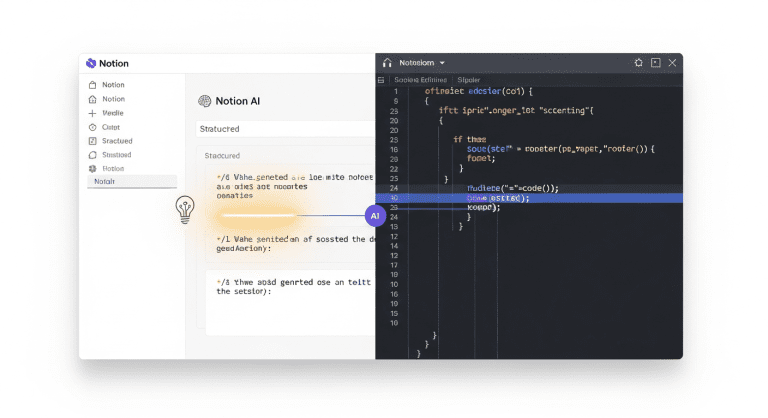

How Developers Can Use Notion AI for Productivity: Step-by-Step Guide
Are you a developer seeking to get more done with fewer distractions? Discover how Notion AI can help you automate tasks, organize code snippets, and boost productivity—in easy, actionable steps tailored specifically for your workflow.
Why Notion AI Is a Game Changer for Developers
Notion AI is an all-in-one productivity and knowledge management tool that uses artificial intelligence to help you manage projects, documentation, technical notes, and code in a more efficient way. For developers, Notion AI streamlines repetitive tasks, provides context-aware suggestions, and integrates smoothly with your favorite coding tools.
- Automate documentation and code comments
- Centralize project notes and requirements
- Generate code explanations and technical summaries
- Track tasks, bugs, and deadlines using AI-enhanced workflows
Getting Started: How to Set Up Notion AI for Developers
- Create a Notion account (official Notion AI page).
- Enable Notion AI in your workspace settings.
- Install the Notion app for your OS or use the web version.
- Import existing project docs, code snippets, or requirements as new pages or databases.
- Access Notion AI features directly inside your docs by hitting the space bar, or use the “Ask AI” command.
Top Productivity Use Cases for Notion AI in Software Development
1. Automated Code Documentation
Tired of writing endless code comments? Notion AI can generate code explanations, technical summaries, or answer “what does this function do” for pasted code snippets. This not only saves time but also improves knowledge sharing within a team.
2. Task & Bug Tracking With Smart Suggestions
Build a Kanban Board or sprint tracker using Notion databases. Notion AI suggests task priorities, sets reminders, and even predicts deadlines based on previous completion rates.
- Assign tasks to team members in seconds
- Auto-prioritize your sprint backlog
- Get AI reminders for overdue issues
3. Instant Technical Summaries and Meeting Notes
Turn lengthy technical meeting discussions into concise, actionable summaries with Notion AI’s summarization tools. No more skimming endless bullet points to see where the project stands.
4. Auto-Generating Code Templates & Boilerplate Snippets
Need a starting point? Ask Notion AI to generate code templates or boilerplate in your preferred languages—whether it’s Python, JavaScript, or React components. This is especially helpful for entry-level developers or to standardize code reviews.
- Standardize team code with AI-generated templates
- Document “how-to” guides for future reference
- Integrate reusable blocks in your workflow
Step-by-Step: Boosting Developer Productivity with Notion AI
- Centralize All Project Resources: Import GitHub links, code, API docs, and design specs into a single Notion workspace for easier search and retrieval.
- Use AI Blocks: Inside Notion, highlight text or code and select “Ask AI” to generate docs, explanations, bug report templates, or quick summaries.
- Automate Meeting Recaps: After a standup or technical sync, paste your Zoom/Meet transcript and let Notion AI create an actionable summary (assign owners and deadlines instantly).
- Track Developer Progress: Set up sprint boards where Notion AI predicts blockers, prioritizes tasks, and nudges you about upcoming deadlines.
- Integrate With Git Repository: While Notion doesn’t yet natively sync with Git, you can attach commit links, pull requests, and use Zapier integrations for better automation.
- Regularly Use Prompts: Try built-in prompts like:
- “Document this Python function”
- “Summarize the changes in this pull request”
- “List potential causes for this bug”
Tips, Mistakes to Avoid, and Optimization Strategies
To maximize impact with Notion AI:
- Keep your workspace organized: Use templates and consistent naming.
- Limit AI blocks to short, clear prompts for best results.
- Avoid storing sensitive code or credentials directly.
- Regularly archive outdated docs to reduce clutter.
- Share key docs with teammates to empower collaborative workflows.
Common Mistakes
- Overreliance on AI-generated content—always review output for accuracy.
- Ignoring manual organization—human effort is still needed for optimal workspace structure.
- Failing to set permissions—ensure only authorized users access sensitive docs.
Helpful Tools & Integrations
- Zapier for integrating GitHub/Jira/Slack with Notion
- Developer Notion templates (Kanban, bug tracker, docs)
- Community AI workflows (Product Hunt)
Comparison Table: Notion AI vs. Other Productivity Tools for Developers
| Feature | Notion AI | Obsidian | Jira | Confluence |
|---|---|---|---|---|
| AI-Powered Summaries | Yes | No | No | No |
| Code Documentation | Yes | Manual | Limited | Manual |
| Task Automation | Yes | No | Yes | No |
| Integration with Git | Via Zapier | Manual | Native | Native |
| Custom Templates | Extensive | Extensive | Moderate | Moderate |
FAQ: Notion AI for Developers
How secure is Notion AI for storing code?
Notion AI uses industry-standard encryption and secure cloud storage, but it’s not designed for storing sensitive credentials or proprietary code. Always follow your organization’s security policies and limit what you upload.
Can Notion AI write code for me?
Notion AI can generate code snippets, templates, and explanations, but it’s not a full coding assistant like GitHub Copilot. Its main strength is documentation, organization, and productivity.
Does Notion AI work offline?
No, Notion AI requires an active internet connection to function, as the AI runs in the cloud.
Is it suitable for team collaboration?
Absolutely. Notion AI shines in collaborative environments, letting teams centralize docs, automate meeting notes, and streamline handoffs.
Are there alternatives to Notion AI for developers?
Yes—tools like Obsidian, Confluence, and GitHub Issues offer similar features, but typically lack the same AI-powered summaries and task automation.
Conclusion: Actionable Takeaways for Developers Using Notion AI
Notion AI is a powerful productivity tool for developers who want to save time, reduce context switching, and automate repetitive daily workflows. By centralizing docs, using AI features for summaries and documentation, and integrating with key developer tools, you’ll get a clear edge in today’s competitive software environment.
- Centralize all your dev resources in Notion
- Leverage AI to automate routine documentation
- Integrate Notion with GitHub, Jira, and Slack for maximum efficiency
- Regularly review and organize your workspace for best results
Start with small changes—track your next sprint in Notion AI, or automate your next meeting’s recap—and see just how much time and focus you can regain.




0 Comments