


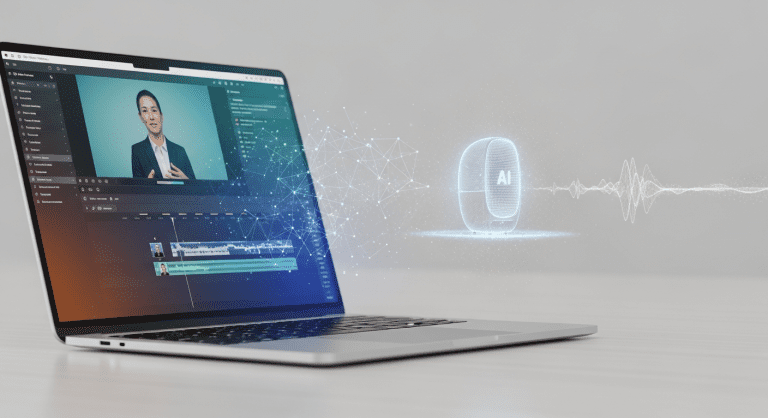

How to Use Synthesia for Video Generation: A Complete Guide for Content Writers in the Media Industry
Looking to accelerate your video content creation without complex setups? Discover how Synthesia—an AI-powered video generation tool—enables content writers in the media industry to turn scripts into professional videos in minutes.
What Is Synthesia and Why Media Content Writers Should Care
Synthesia is an AI video generation platform that lets you create realistic, presenter-led videos from just text. With its advanced avatars and multilingual support, it’s ideal for media companies and content writers who want engaging video content fast, without cameras or editing expertise.
- Save time: No actors, filming, or complex software required.
- Scalable: Create dozens of videos for various platforms and audiences.
- Consistent quality: Control messaging and visual style with ease.
For content writers, this means expanding your reach with video, boosting SEO and engagement—crucial in today’s media landscape.
Key Features of Synthesia for Content Writers
Highly Realistic AI Avatars
The platform offers 120+ digital avatars and supports video in 120+ languages. This makes it easy to localize content for international audiences without additional voiceover or translation costs.
Script-to-Video Workflow
- Paste your script.
- Select an avatar and voice.
- Choose your background or brand template.
- Generate a high-quality video in minutes.
Media-Friendly Integrations
Synthesia integrates with various tools writers already use—LMS, CMS, or even Zapier for workflow automation, making video a seamless part of your content strategy.
AI Editing Tools
Add text overlays, images, logos, and synchronize captions—all inside Synthesia. Edit scripts and update videos any time, reducing the back-and-forth common with traditional video editing.
Step-By-Step: How to Create a Video with Synthesia
- Sign Up and Log In
Visit Synthesia.io, choose the right plan (free trial available), and log into your dashboard. - Select or Upload a Script
Paste your written script or use Synthesia’s templates for news reports, explainers, reviews, or editorial-style content. - Pick an AI Avatar and Voice
Choose from professional avatars suitable for different tones—news anchor, instructor, or friendly presenter. Select the voice and accent to fit your media audience. - Customize Branding and Visuals
Set on-brand backgrounds, fonts, logos or choose a suitable video template. Aligns with your publication’s identity and audience expectations. - Add Captions and Visual Elements
Insert closed captions, text highlights, and relevant images or b-roll. Synthesia makes editing simple—just drag and drop. - Preview and Generate Video
Review the video for accuracy. When satisfied, click “Generate Video”. Synthesia creates your video in a few minutes, ready for download or publishing. - Distribute Your Video Content
Share on your website, YouTube channel, social media, or embed in articles. Videos help boost SEO rankings and improve time-on-page metrics (see Finance SEO guide).
Best Practices for Content Writers Using Synthesia in Media
- Keep scripts concise (60–180 seconds is optimal for engagement).
- Write conversationally: Avoid jargon, use language natural to your target audience.
- Batch production: Plan multiple scripts in advance to streamline workflow for media calendars.
- Preview voices and avatars: Test different voices for tone and clarity before finalizing.
- Optimize for accessibility: Add captions and ensure visuals are high-contrast.
- Track performance: Use analytics platforms (YouTube, social media insights, website metrics) to measure video engagement and SEO impact.
Common Mistakes to Avoid When Using Synthesia
- Ignoring brand consistency: Always apply your logo, color palette, and typefaces for professional results.
- Forgetting script clarity: AI avatars deliver best results from clear, well-structured text.
- Overloading visuals: Simple designs help viewers focus on your message.
- Lack of call-to-action: Every media video should guide viewers to next steps (read, share, subscribe, etc.).
- Not checking AI pronunciation: Use Synthesia’s preview to catch mispronunciations unique to your industry or audience.
Comparing Synthesia to Other Video Generation Tools
| Feature | Synthesia | Pictory | D-ID |
|---|---|---|---|
| AI presenters | ✓ (120+ digital avatars) | ✗ (stock footage only) | ✓ (realistic talking faces) |
| Script-to-video | ✓ | ✓ | ✓ |
| Multilingual support | ✓ (120+ languages) | ✓ (34 languages) | ✓ (over 30 languages) |
| Brand templates | ✓ | ✓ | ✗ |
| Integration/API | ✓ | ✗ | ✗ |
| Pricing | $$ | $ | $$ |
For most media content writers, Synthesia offers the most complete toolkit for news, explainers, reviews, and editorial video production.
People Also Ask: Synthesia Video Generation FAQs
How accurate are Synthesia AI avatars?
Synthesia avatars offer highly lifelike facial movements and speech. For the best results, use native-language scripts and preview the output before publishing.
Can I use Synthesia videos for commercial media?
Yes, all videos generated are commercial-licensed when you use a paid plan. Always check Synthesia’s terms of use for specific legal considerations.
Does Synthesia support team collaboration?
Synthesia offers collaborative workspaces—multiple writers and editors can work together on scripts, reviews, and project management.
Is Synthesia compliant with data privacy for media organizations?
Synthesia complies with GDPR and other data privacy standards. No personal biometric data is stored without explicit consent.
How long does Synthesia take to create a video?
Most videos are generated in 5 to 15 minutes, depending on length and complexity.
Can I add multiple avatars or scenes in one video?
Yes, you can add scene transitions and even have multiple avatars interact within a single video, increasing engagement for news stories or panel-style content.
Conclusion: Should Content Writers in Media Use Synthesia?
Synthesia unlocks fast, scalable, and professional video production for writers in the media industry. Whether updating readers with news, creating tutorials, or diversifying your publication’s content, this AI tool reduces costs and increases output—letting you stay ahead in digital storytelling.
- Easy script-to-video workflow
- Brand-consistent, multilingual, and accessible content
- Robust ROI for SEO, audience retention, and cross-channel publishing
Start experimenting with Synthesia today, and watch your video storytelling become as seamless as your writing.
Further Reading & Internal Links
- Finance SEO: Skyrocket Rankings Fast
- Ultimate Morning Routine for Productivity
- 5-Step Gratitude Practices for Growth
- 5 Tips for Healthy, Lasting Relationships




0 Comments